

Pick a pet camera when your dog or cat needs interaction, treats, and voice contact through the day. Pick a security camera when you want broad coverage, reliable local recording, and no monthly bill. Look at treat-dispensing cameras and two-way audio models for engagement, and multi-room security cameras with microSD or NAS storage for coverage. The table below breaks down exactly which is which.
TL;DR:
- Pet cameras with treat dispensers and two-way audio are best for interaction, while security cameras with local storage suit ongoing coverage and privacy concerns.
- Local recording security cameras like the Tapo C120 support continuous footage without subscriptions, which is ideal for budget-conscious pet owners prioritizing privacy.
- AI pet detection reduces false alerts compared to general person detection, but both systems still have limitations with multi-pet households and complex behavior.
- The effectiveness of cameras depends on placement at 2 to 3 feet height and securing treat dispensers, with multiple cameras needed for larger or multi-room homes.
- Professional pet care visits and human observation often outperform cameras for serious issues like separation anxiety or medical conditions.
Pet Camera Vs Security Camera: The Real Shortlist
Here’s the honest truth nobody tells you upfront: most “pet cameras” and “security cameras” are running the same basic hardware. The real split comes down to interaction features and where your footage lives, not the camera lens itself. Pet Device Guide’s comparison puts it plainly: treat dispensing and two-way audio are what separate a dedicated pet cam from a repurposed security camera, since plenty of mainstream security cameras now ship with pet detection baked in.
That means your shortlist should include products from both categories, not just the ones marketed with a paw print on the box.
- ADT builds monitored home security systems with camera options tied into professional monitoring, best for households that want a security team watching the whole property, not just the dog bed.
- Ring Stick Up Cam Battery runs cordless and works indoors or outdoors, best for pet parents who need flexible placement and already use Alexa.
- Wyze Cam keeps hardware costs low and supports local microSD recording, best for budget shoppers who don’t want a subscription hanging over their head.
- Google Nest Cam leans on strong face and person recognition tied to the Nest ecosystem, best for households already living in Google’s smart home world.
- Arlo Pro 5S 2K delivers sharper video and broader smart home integration, best for buyers who want camera quality that doubles as serious perimeter security.
- TP-Link Tapo C120 bundles pet detection with local recording at a low price, best for pet parents who want pet-specific alerts without paying a monthly fee.
| Product | Best for | Key pet features | Storage model | Subscription required | Price shape |
|---|---|---|---|---|---|
| ADT | Integrated monitored security | Limited pet-specific features | Cloud, vendor-managed | Yes, monitoring plan required | $$$$ |
| Ring Stick Up Cam Battery | Flexible placement, Alexa homes | Motion alerts, no treat dispenser | Cloud primarily | Yes, for video history | $$ |
| Wyze Cam | Budget local recording | Basic motion detection | Local microSD available | No (optional cloud add-on) | $ |
| Google Nest Cam | Google ecosystem households | Familiar-face detection | Cloud (Nest Aware) | Yes, for most smart features | $$$ |
| Arlo Pro 5S 2K | High-res, feature-rich coverage | Motion and object detection | Cloud primarily, local hub option | Yes, for advanced AI features | $$$ |
| TP-Link Tapo C120 | Pet detection without a bill | Pet detection, tracking | Local microSD | No | $ |
Watch for vendor gating on the pet-focused models. A lot of treat-tossing cameras will let you view live video for free, but lock saved clips, smart alerts, and extended history behind a paid plan. Security found that several mainstream security cameras, including the Tapo line, support local recording with zero subscription cost, while dedicated pet cams often require one to unlock the features that made you buy them in the first place.
Interaction Vs Surveillance: How Features Actually Play Out
A treat dispenser sounds like a fun gimmick until you realize it’s a training tool with real consequences. Used deliberately (reward a calm moment, reinforce a “stay”) it works well. Used reactively every time your dog barks at the mail carrier, it can accidentally reinforce the exact behavior you’re trying to stop. Timing matters more than the gadget.
Two-way audio has a similar split personality. Some dogs relax the moment they hear your voice. Others get more agitated, because they hear you but can’t find you, which reads as confusing rather than comforting. Ajax’s research on pet monitoring recommends introducing voice contact gradually, ideally while you’re still home, so your pet learns to associate the sound with something positive rather than a ghost in the living room.
AI pet detection versus general person detection matters more than most buyers expect:
- Pet-specific AI (like TP-Link’s Tapo pet detection) filters out human movement so you get fewer false alerts when someone’s watching TV nearby.
- General security cameras often flag every moving object, which means a lot of notifications about shadows and ceiling fans.
- Neither system is perfect. Multi-pet households see more false positives regardless of brand.
Storage model is where the real divide shows up. One review of gated pet camera plans notes that many treat-dispensing cameras stop saving footage the moment your subscription lapses. A local-recording security camera keeps working through a power blip or internet outage, since the footage saves straight to the microSD card or a NAS box in your closet, not a data center somewhere else.
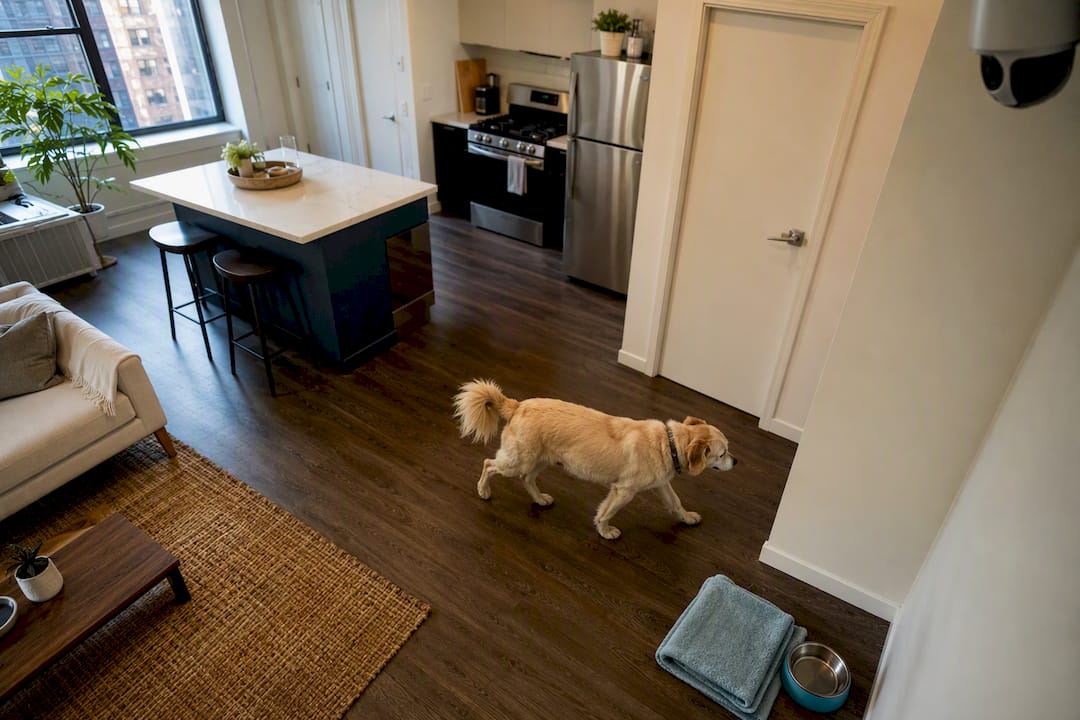
Camera placement changes everything about usefulness too. A camera mounted at human eye level captures faces walking through a doorway. It does a poor job showing you whether your dog is pacing, favoring a leg, or lying in an odd position, which is often the more useful information for a pet parent.
How Do You Choose Between These Two Camera Types?
Start with one question: what’s your primary goal? Interaction, footage review, or both? That single answer narrows the field faster than any spec sheet.
- Name your goal first. If you want to toss treats and talk to your dog during the day, you need a pet cam with a dispenser and audio. If you want a record of what happened while you were out, prioritize local storage and wide-angle coverage.
- Check your pet’s temperament. An anxious cat might do worse with a talking box on the wall. A food-motivated Labrador will treat a treat-tossing camera like the best invention since the tennis ball.
- Map your home layout. One camera covers a studio apartment. A sprawling North Side three-flat might need two or three units, or a pan-tilt model that can sweep a bigger room.
- Decide how much you care about saved clips. If you just want to check in live occasionally, cloud subscriptions matter less. If you want a searchable history, budget for the plan or buy local storage upfront.
- Set your privacy tolerance. Some readers are fine with cloud storage. Others want footage staying inside their own network, full stop.
- Match minimum specs to your goal. For interaction, look for two-way audio and a treat dispenser. For surveillance, prioritize 1080p or better resolution, night vision, and local recording support.
- Ask the vendor directly whether saved clips require a subscription, whether local storage is supported, and what happens to footage if you cancel the plan.
Where Should You Mount a Pet Camera?
Height and angle change what a camera can actually tell you. Mount at 2 to 3 feet off the floor, not up near the ceiling like a typical security setup, so you can see your dog’s posture, gait, and body language clearly enough to spot limping or restlessness.
- Keep treat dispensers at floor level and secured against tipping, since a determined chewer will find a way to knock over anything unstable.
- Use two cameras, or one pan-tilt model, for pets that roam between rooms rather than parking in one spot all day.
- Confirm your Wi-Fi actually reaches the room you’re mounting in. A weak signal turns a smart camera into an expensive paperweight.
- A small UPS battery backup keeps a camera recording through short power outages, worth it if you’re monitoring a pet with a medical condition.
What Should You Check Before Trusting a Camera With Your Home?
Local storage is your best friend if privacy matters to you. A camera that saves to a microSD card or an ONVIF-compatible NAS keeps your footage on your own network instead of a vendor’s cloud servers.
Before you mount anything in a bedroom or living room, read the actual privacy policy. Comparisons of pet camera vendors show real differences in how companies handle marketing use and third-party data sharing, and that fine print matters more once a camera has a permanent view of your living space.
- Set a strong, unique password for the camera app, not the one you use for everything else.
- Turn on two-factor authentication wherever the vendor offers it.
- Put smart cameras on a separate guest Wi-Fi network so a compromised camera can’t reach your laptop or phone.
- If you suspect a breach, disconnect the camera immediately, factory reset it, change every associated password, and contact the vendor’s support line.
Pro Tip: Write your camera’s Wi-Fi password on a sticky note only long enough to set it up, then shred it. Cameras get resold, gifted, or forgotten in a drawer more often than you’d think, and old passwords have a way of outliving good intentions.
Do Subscriptions Actually Change the Math?
Subscriptions typically unlock smart alerts, saved clip history, and longer retention windows, features that feel optional until your camera can’t answer “what happened at 2 p.m. yesterday” without one.
Here’s a rough two-year comparison: a treat-dispensing pet camera at roughly $170 in hardware plus a $10 monthly plan runs close to $410 all in in over two years. A local-recording security camera like the Tapo C120, priced closer to $40 with zero subscription, stays at $40 for the same two years. Business Insider’s testing of pet cameras confirms this pattern: gated plans meaningfully raise the real cost of ownership beyond the sticker price.
- A subscription is worth it if you genuinely want AI-sorted clips and long-term cloud backup.
- Local recording is the smarter call if you mainly want peace of mind and occasional live check-ins.
When Do Cameras Actually Help, and When Do They Fall Short?
After years of walking dogs across the North Side, our care team has seen cameras used well and used as a crutch. They’re excellent diagnostic tools. A pet parent can review footage and see exactly when the dog starts pacing, or confirm the cat really did knock the plant over at 3 p.m. sharp.
What cameras can’t do is treat separation anxiety. Veterinary behavior guidance from UC Davis is clear that footage documents behavior, but real cases need a certified behaviorist, not just a better camera angle. Our walkers use what they see on cameras to adjust routines and flag patterns to pet parents, then pair that information with structured, positive-reinforcement approaches to separation anxiety rather than relying on the camera alone.
Which Camera Fits Your Situation?
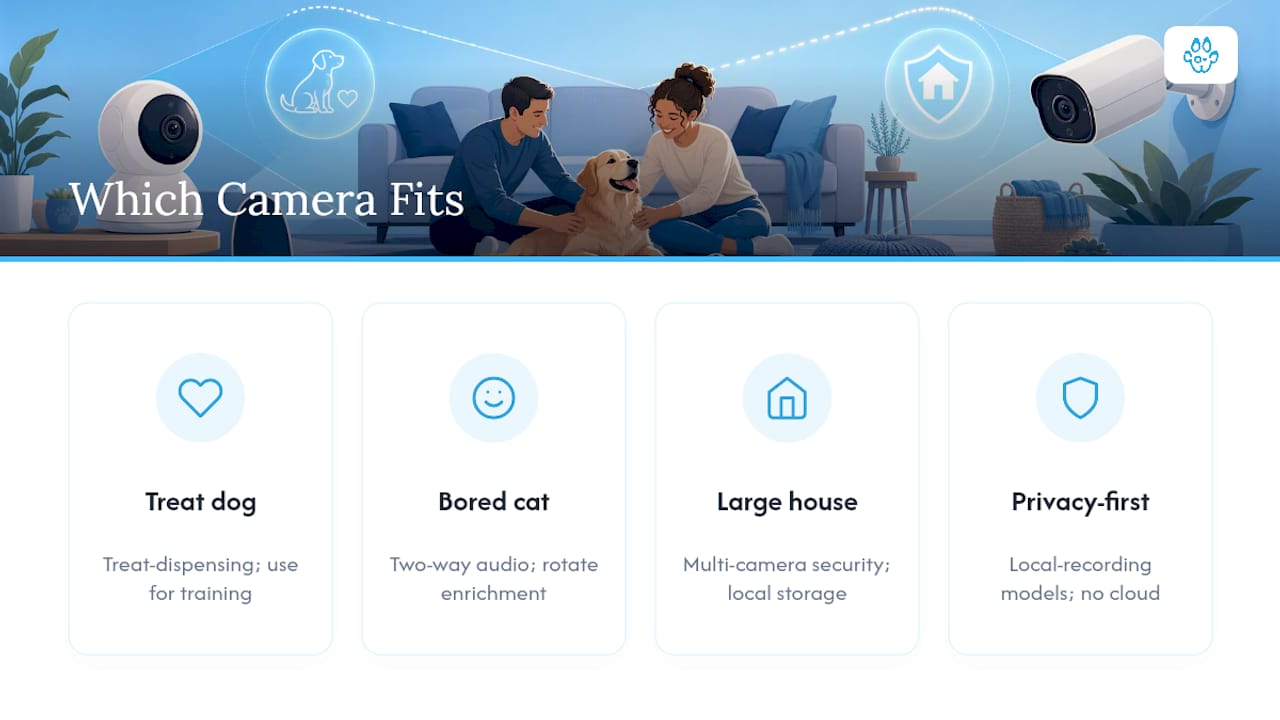
A food-motivated pup who lights up for treats? Go with a treat-dispensing pet camera and use it for deliberate training, not constant chatter. A bored cat who ignores every toy you buy? Pair a two-way audio camera with rotating enrichment, not just remote check-ins. A big house that needs perimeter coverage? A multi-camera security setup with local storage wins. Privacy-first household? Stick to local-recording models with no cloud requirement.
Whatever you land on, match the device to the goal, not the marketing.
Another Option: Skip the Screen and Book a Real Visit
Cameras are genuinely useful, but they don’t walk your dog, refill the water bowl, or notice your cat’s limping the way a trained set of eyes and hands will. When a pet has severe separation anxiety, a history of destructive chewing, or a medical condition that needs hands-on attention, a live visit beats a livestream every time.
A reputable Chicago dog walking and pet care team offers consistent walkers every time, not a rotating cast of strangers. Many pet care visits include real-time updates with GPS, photos, and notes, providing reassurance alongside professional pet care.
If your pet needs more than a treat toss and a camera check, Sparky Steps’ pet sitting services cover dogs, cats, and small animals across the North Side, with home check-ins available for pet parents who want a real set of eyes on the house without installing anything. For high-energy dogs who need more than a screen can offer, Sparky Steps’ dog running service burns off the energy no camera ever will. Book a visit and see what consistent, in-person care feels like compared to watching from an app.
Sources
- Pet Camera vs Security Camera: Which Should You Buy for Your Pet? – Pet Device Guide
- The Best Pet Camera of 2026
- Pet camera or security camera for pet monitoring? | Blog Ajax
- University of California, Davis School of Veterinary Medicine
- The Tapo C260 is for pet parents who want a single device that does it all, and does it well, at a budget-friendly price. — Business Insider
FAQ
Do pet cameras record all the time?
Most pet cameras record continuously only if you pay for a cloud subscription tier that supports it; without a plan, many only stream live or save short motion-triggered clips.
Are pet cameras hackable?
Any internet-connected camera carries some risk, and the strongest protection is a unique password, two-factor authentication, and a separate guest network, along with checking the vendor’s privacy policy before installing one indoors.
Is it worth getting a pet camera?
It’s worth it if your top priority is interaction, like tossing treats or talking to your pet during the day; if you mainly want coverage and peace of mind, a local-recording security camera often delivers more value for less money.
What is the best camera for watching pets at home?
It depends on your goal: the TP-Link Tapo C120 offers pet detection with local recording and no subscription, while a treat-dispensing pet camera with two-way audio suits pet parents who want daily interaction, not just observation.
Should I get a camera instead of a pet sitter?
A camera helps you observe and check in, but it can’t walk your dog, refill food, or respond to a medical issue, so pet parents with anxious, high-energy, or medically needy pets typically get more value from a trusted in-person walker or sitter alongside or instead of a camera.
Recommended
- Pet Security Cameras 101: Shopping Guide & Tips
- Pet Care Budget Planning Checklist: Master Your Costs
- How Much You Might Spend on Owning a Dog
The Sparky Steps Team used AI to research and outline this article. A human on the team edited and fact-checked the final text.


